Managing remote teams requires tools that ensure everyone follows the same processes. Here is how Tallyfy keeps distributed teams aligned.
Summary
- Communication tools are the foundation - Slack for messaging, Microsoft Teams for face-to-face meetings, GoTo Meeting for client-friendly video calls without requiring installs
- Workflow management prevents chaos - Tallyfy tracks remote employee workflows when you can’t physically oversee work, ensuring VA tasks don’t miss critical steps in their daily routines
- Time tracking builds accountability - TimeDoctor takes periodic screenshots and measures activity levels to ensure remote employees stay productive instead of getting sidetracked by Facebook
- Culture needs digital tools - WooBoard rewards employee achievements with points and prizes to maintain engagement and recognition across distributed teams. Need help managing remote teams?
Workflow Made Easy
If you’re already working with a remote team, you’ve already gained a real advantage over your competition. Actually, that overstates it a bit. When discussing scaling with mid-market teams (55% of our conversations at Tallyfy), the tools you choose make all the difference. The pattern we keep running into with IT managed service providers coordinating distributed technicians, the biggest challenge isn’t communication - it’s ensuring everyone follows the same process steps regardless of location. Remote employees experience real benefits: more flexibility in time management, easier focused work, and better stress management.

Remote work, though, isn’t all flowers and rainbows. Managing a remote team can be painful, more so than with a real-life team.
In an office environment, for example, you could just drop by Dave’s cubicle and ask him for that new report due today. With a remote team, though, dropping by Dave’s cubicle might mean a trans-Atlantic flight and 20+ hours wasted.
To get the most out of your remote team (and avoid unnecessary flights), you’ll need to figure out how to digitize every aspect of a day-to-day office life.
Here’s the complete list of tools you’d use for each, divided by their respective function:
- Communication - Slack, Microsoft Teams, GoTo Meeting
- Project management - Basecamp, Asana
- Time tracking - Hubstaff, TimeDoctor
- Rewarding employees - WooBoard
- Utilities - LastPass, Dropbox

Real workflow execution. Not chat or drawing.
Remote teams need execution, not just chat. Where the collaboration landscape sits.
How do you keep everyone talking?
In any remote team, it’s essential to establish an easy means of communication between your employees. Whether it’s a quick direct message or a face-to-face meeting, these tools help get the job done.
Slack
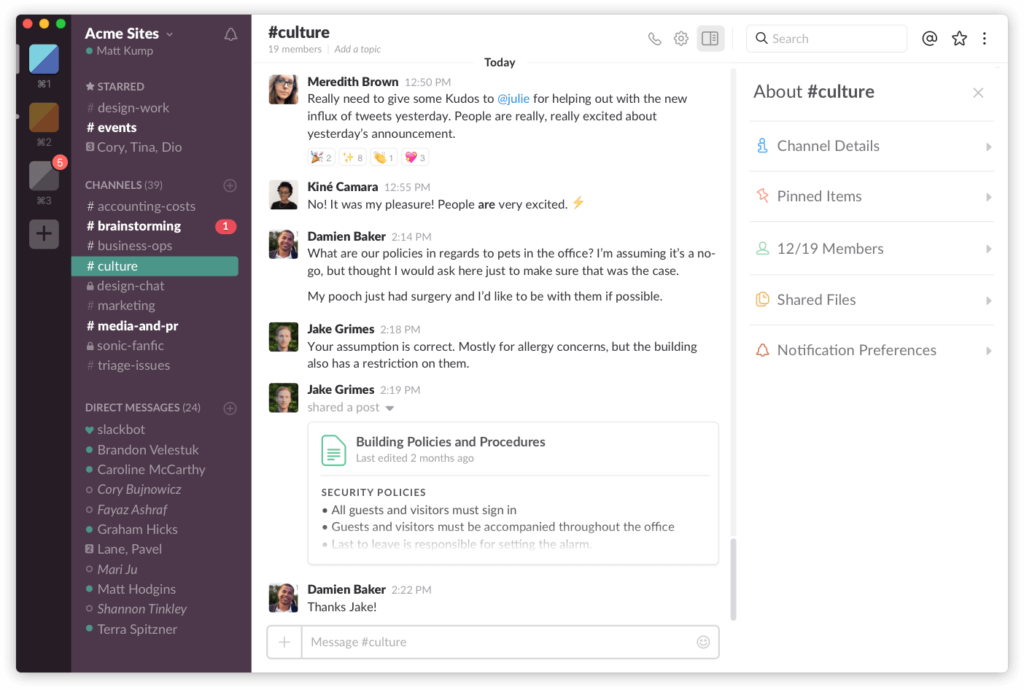
For any work environment, a direct messaging tool is a no-brainer. With a remote team, you can’t just ask a coworker real quick about that project they’re working on.
Stewart Butterfield’s Slack works as both a chat tool and a replacement for email.
It has pretty much anything to simplify office communication, such as chat, file sharing (and storing), reminder setup, etc. It also allows for 3rd party integrations with other apps, which can allow for additional functionalities such as task management.
- 90-day message history
- 10 app integrations
- Unlimited history
- Unlimited apps
- SSO
- 99.99% uptime SLA
- Multiple workspaces
- Compliance features
Microsoft Teams
While direct messaging can be used for most office communication, it cannot replace face-to-face conversations. Microsoft retired Skype in May 2025 and now redirects users to Microsoft Teams, which covers messaging, voice calls, and video calls for most online meeting needs.
GoTo Meeting
In case you don’t want to install a dedicated app for online meetings, there’s GoTo Meeting, which absorbed join.me. It simplifies online meetings really well - all you have to do to schedule a video call is send someone your link. This is probably a better choice if you’re working with an external client, and don’t want to ask them to install Teams or some other app.
Project management
For a real-life project team, there are a lot of different ways to keep track of everyone’s to-dos. You could have a whiteboard with a list of tasks, for example, or even a dedicated Kanban board. As such, you’ll need something similar to keep track of your remote team’s tasks and projects. Does one tool cover everything? Not really.
Basecamp
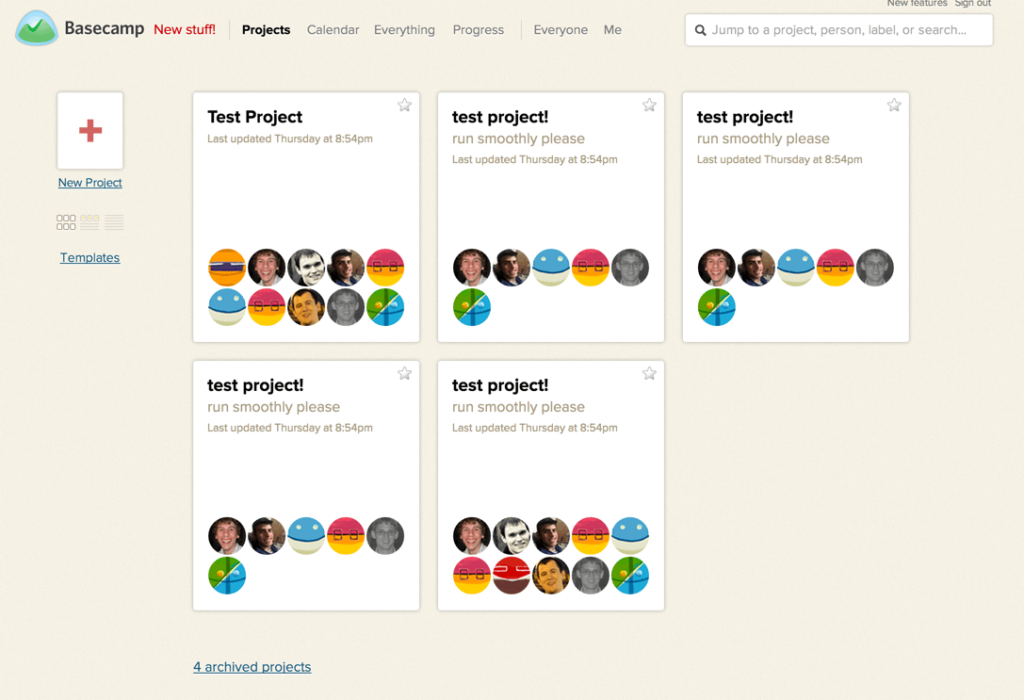
Jason Fried’s Basecamp is an all-in-one project management tool, offering different functionalities such as task management, calendars, meeting scheduling, and so on.
Mind you, it tends to work well for small-to-medium sized businesses, as it’s relatively simple to set up and start using.
The way it works is, you create different projects (can be a one-off project or something you do on the go) and populate them with different tasks. As a given, you can set task ownership, deadlines, etc.
- 1 project
- 1GB storage
- Up to 5 users
- 3 projects
- 5GB storage
- Up to 20 users
- 10 projects
- 25GB storage
- Unlimited users
- 25 projects
- 100GB storage
- Unlimited users
- Unlimited projects
- 1TB storage
- Unlimited users
Asana
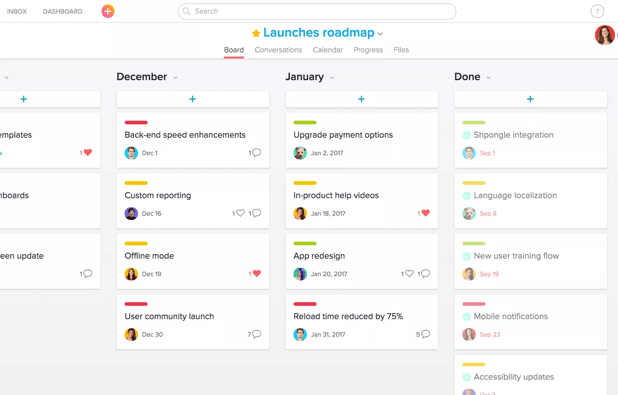
If you’re looking for something that packs a little bit more punch than Basecamp, there’s Dustin Moskovitz’s Asana for project management. It has a bit more functionalities than Basecamp and is geared more towards larger organizations.
In addition to project management, it can be used to store files, communicate with coworkers, create reports, and several other things.
Truth is, the added functionalities give Asana a steeper learning curve than the alternative tools
- Up to 2 teammates
- Unlimited tasks and projects
- Timeline view
- Workflow builder
- Forms
- Goals
- Portfolios
- 25K automations/month
- SAML SSO
- Data export
- Priority support
Tallyfy
While your average project management focuses on one-off tasks, procedural work can really be neglected.
Tallyfy’s software allows for managing both one-off tasks, as well as processes.
Since you can’t be looking over your remote employee’s shoulder, tracking their workflows is the next best thing you could do. The software gives you a dashboard to keep track of all of the remote employees, including how they’re progressing, how far the deadline is, etc. We’ve observed that distributed banking teams waste approximately 30% of their time on handoffs, tracking, and email when they lack standardized workflow tools - context gets lost every time a task moves between team members in different locations. That adds up fast.
One popular use-case for workflow management is working with a VA. VAs tend to have a list of tasks they complete on a daily basis.
To ensure that they don’t miss any important steps, you could create a workflow that will enforce the entire process.
Remote team workflow templates
Ready-to-use templates for managing distributed teams
Trello
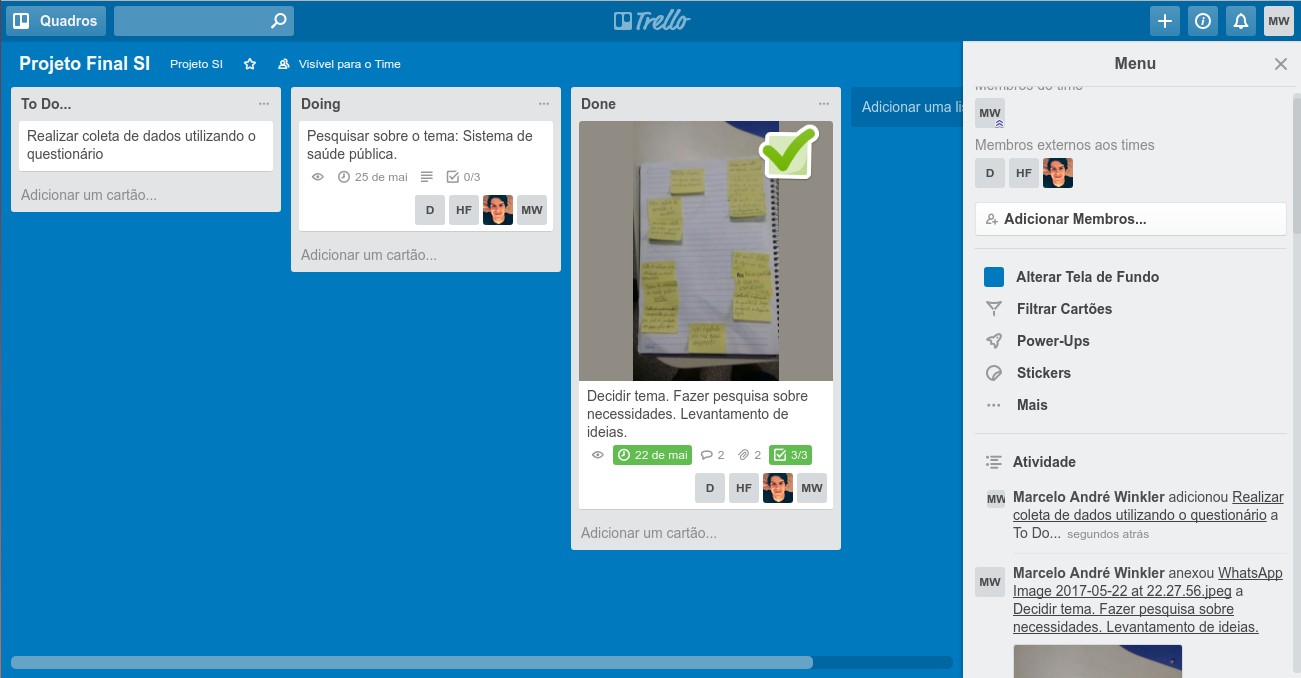
If a full-fledged project management software isn’t up your alley, Trello offers a simpler alternative.
It’s a minimalistic to-do app based on the Kanban methodology. You create a separate board for each project team and populate it with different to-dos on different stages of completion.
If you’re just starting out as a remote team, this might be the best and easiest tool out of the three.
- Up to 10 boards
- Unlimited cards
- Unlimited boards
- Advanced checklists
- Timeline and Calendar views
- Admin controls
- Unlimited Workspaces
- Organization-wide permissions
Time tracking
Since you can’t be on 4 different continents at once, you really can’t be sure what your employees are doing. They could be working hard to meet that important deadline tomorrow, or they could be playing with their cat. It happens.
Tracking their time and tasks can help clear that up. Is it foolproof? No, but it helps.
Toggl
If your remote employees are working hourly, a time-tracking tool is essential. Toggl can help do that, as well as several other things.
It can provide analytics on hours worked per task, which can help judge your remote employee’s productivity level.
It is also super convenient to use, to boot, as you can use it both online and as a native app for both iOS and Windows.
TimeDoctor
In an office environment, a supervisor looking over an employee’s shoulder ensures that they’re actually being productive.
A pet cat in the remote employee’s home-office just doesn’t seem to cut it as much.
To ensure that your employees are actually working on what they are supposed to (and are not being side-tracked by Facebook), TimeDoctor keeps track of their work. It measures activity levels and offers optional screenshots that teams can configure with privacy controls.
Rewarding employees
One thing that keeps coming up when running a remote team is that company culture takes a major hit.
In an office, it’s easy to recognize and reward one’s performance. You also tend to celebrate each other’s birthdays, have a teambuilding here and there, etc.
With a remote team, though, it might seem that the employee’s only coworker is their laptop.
These tools help solve that.
WooBoard
Unless your employee achievements are rewarded, they tend to get demotivated.
What’s the point in putting in your best, unless it’s recognized by your employers?
WooBoard allows you to recognize employees for their work, awarding them “Woo Points.” This helps create a livelier online workplace, keeping everyone engaged with their work.
Once your employees reach certain point milestones, you could reward them with different prizes, whether it’s cash or physical gifts.
Awesome Boss
Professional achievement is only one part of employee recognition. They also want to feel like a part of something, as well as being appreciated as individuals and not just as employees.
Awesome Boss helps you be, well, an awesome boss.
It has a bunch of awesome functionalities, such as event tracking (tracking employee birthdays, anniversaries, etc.) or employee profiles (cannot remember what Dave from Accounting is into? Now you will!).
Round out your toolkit
Anything that doesn’t really have its own category goes here. Namely…
Filesharing
An on-site company tends to have its own network of computers, with all the security benefits that come with it. For a remote team, though, you’d need an online alternative. Today, however, filesharing software is very common - some of our favorites include Google Drive and DropBox. Both companies allow for cloud storage with maximum security and safety for your files. Filesharing software is also extremely cheap, to boot. For Drive, it starts off free for up to 15 Gigabytes, with paid Google One plans scaling well beyond that for a monthly fee.
Login-sharing
As a remote company, you’ll be using a lot of different tools. In addition to all the basic collaboration software we mentioned, there are all the tools you’d need for your industry or field. So, how do you ensure that your employees remember ALL of the passwords, without exposing the company to a risk of cyber threats? They could put them in a text file, along with the corresponding software name, for example, but that would obviously compromise security.
Login-sharing tools such as LastPass can make sharing login credentials much easier - it allows you to log in to whichever software using just a single click. It’s also safe, to boot, as the company uses state of the art encryption to protect your passwords. For a distributed team spanning multiple time zones, having a shared password vault means new hires can get access to everything they need on day one without waiting for someone in another country to wake up and send credentials over chat.